

Content Planning Made Easy: Tools to Organise your Social Media
Having a run of great content or launching into a new series can have you fizzing, but to calm the creative chaos and ensure things stay on track, it’s important to have some systems in place. Planning and organising your ideas allows teams and creators to focus on what they do best.
In this article, Kylee explores a range of planning and organisation tools for different working styles and personalities, so you can find a system that truly works for you!
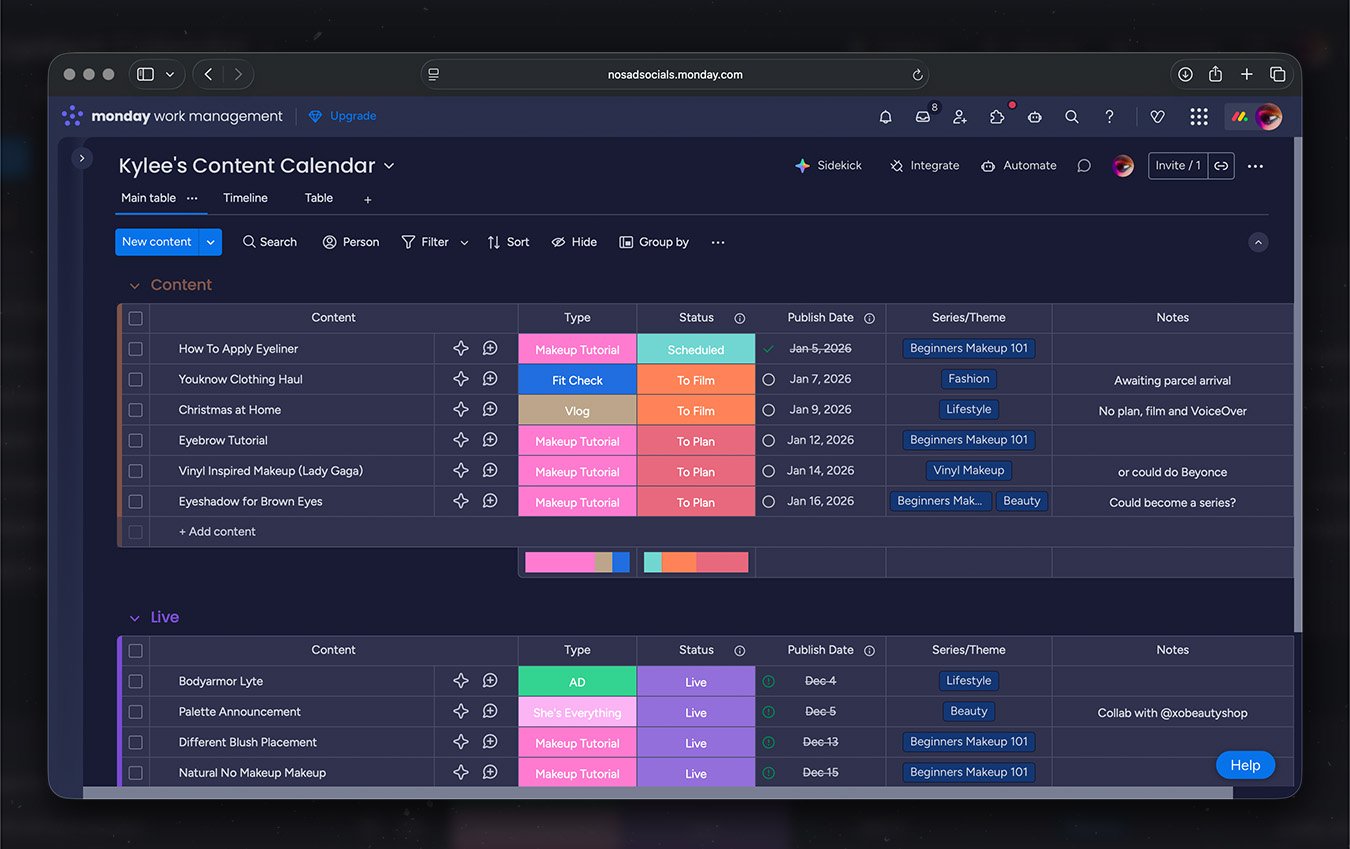
If you thrive on structure and organisation, Monday.com will make your brain feel calm. It works like a smart, customisable spreadsheet, allowing you to track deadlines, content types, platforms, and notes all in one place.
It’s particularly well suited to teams or creators managing multiple content types who want a professional, ready-to-use system that makes it easy to see what’s coming up, what’s in progress, and what’s complete.
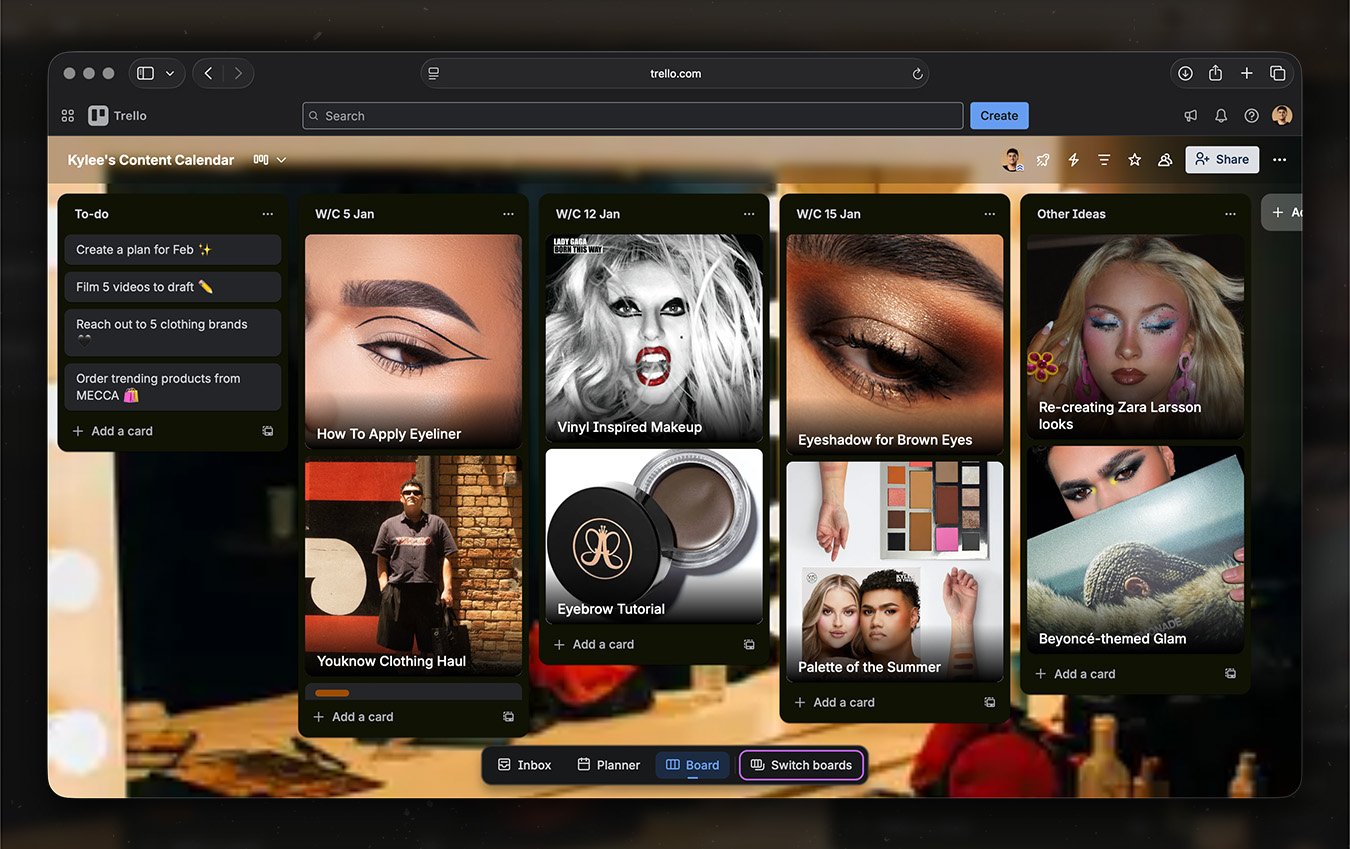
If you prefer a visual, flexible approach, Trello is for you. It uses boards and cards that move through lists such as “Ideas,” “In Progress,” and “Scheduled,” making it intuitive and easy to set up.
With the same basic features as Monday.com, but with the ability to add images and aesthetics, Trello is great for creators who want structure without sacrificing creativity.
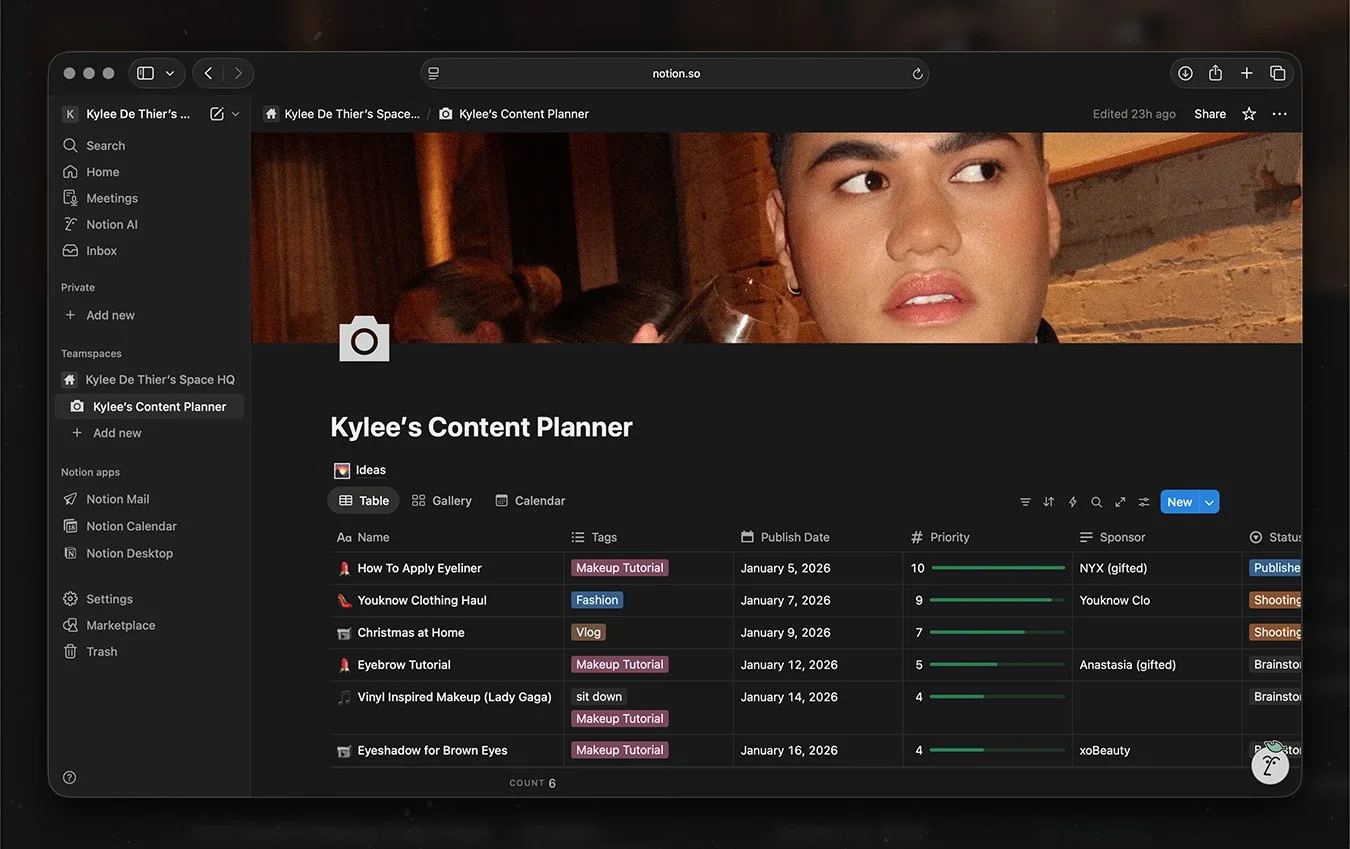
If you want total control and flexibility, you’ll love Notion. It allows you to build fully custom planning systems, supporting tables, calendars, boards, galleries, databases – think of it as your own mini-website.
It’s powerful so there is a learning curve, but Notion’s free templates make it easier to get started. Though it can be overkill for simpler workflows, Notion’s flexibility allows teams and creators to build anything from a basic content calendar to a complex brand hub, making it perfect for those who love customisation.
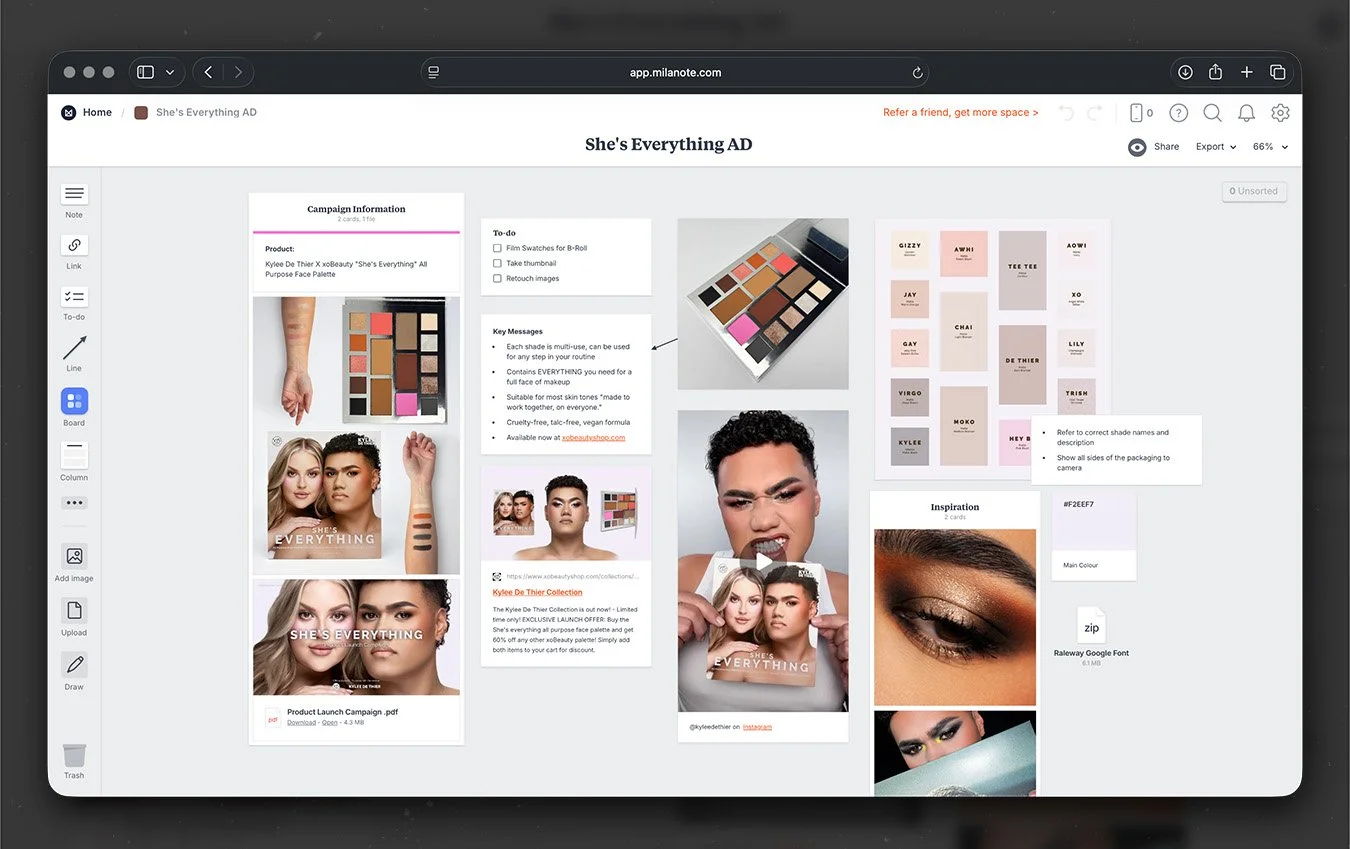
If you need to plan one big piece of content, like an #AD campaign or creative concept, Milanote is perfect. It offers an expansive board where you can organise notes, images, videos, files, and references, helping you visualise and connect all your ideas in one place.
Many creators use Milanote alongside a primary content calendar, making it ideal for mood boards, ideation or concepts in detail.
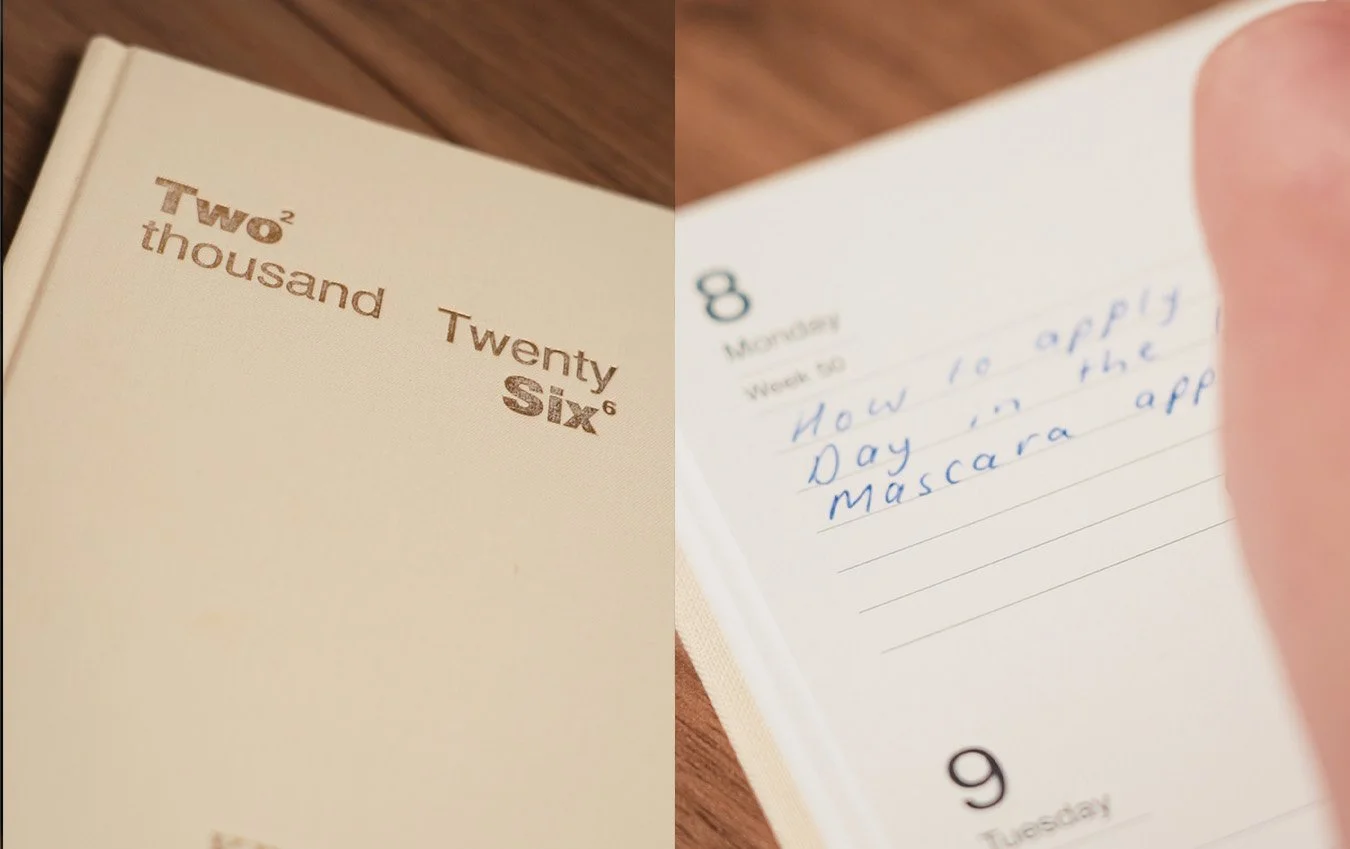
Good Ol’ Handwriting
If you prefer the traditional way or just need a break, writing ideas by hand reduces overwhelm, sparks creativity, and helps you think more clearly.
A diary or notebook can work alone or complement digital systems, offering a simple, accessible way to organise thoughts and reset your creative focus.
For creators who want tools that actually schedule posts and provide engagement analytics, platforms like Hootsuite and Sprout Social are expensive but might be worth looking into.
Content planning doesn’t need to be complicated, but it does need to work for you. Whether you prefer structured platforms like Monday.com, visual tools like Trello, fully custom systems like Notion, creative playgrounds like Milanote, or the simplicity of handwritten planning, there’s a solution for every working style.
The key is choosing a system that supports consistency without stifling creativity. With the right tools in place, you can spend less time worrying about what to post and more time enjoying creating content.
Now that you’ve got your New Years resolutions in place, you may want to explore Equipment for Creators to level up your content creation game.
Here’s to an incredible 2026, let it be your most organised content year yet!
